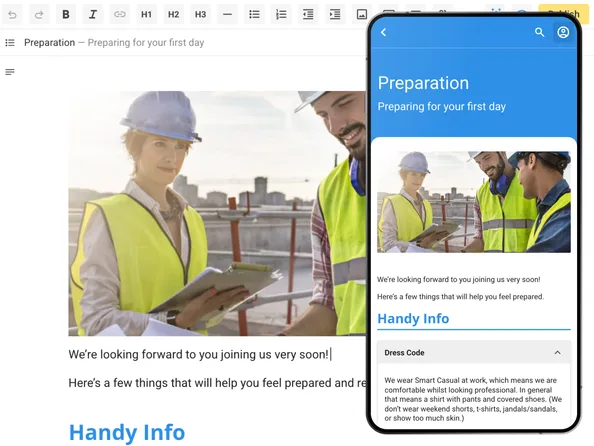
Accordions and tabs
Visually break up content.







Onboarding often turns into long pages of text that people scroll past. Content Manager lets you build something they work through instead.
You mix rich media with interactive blocks and activities, so each topic asks the reader to tap, choose or take part. They stay in control of what they open next, and they stay engaged throughout.
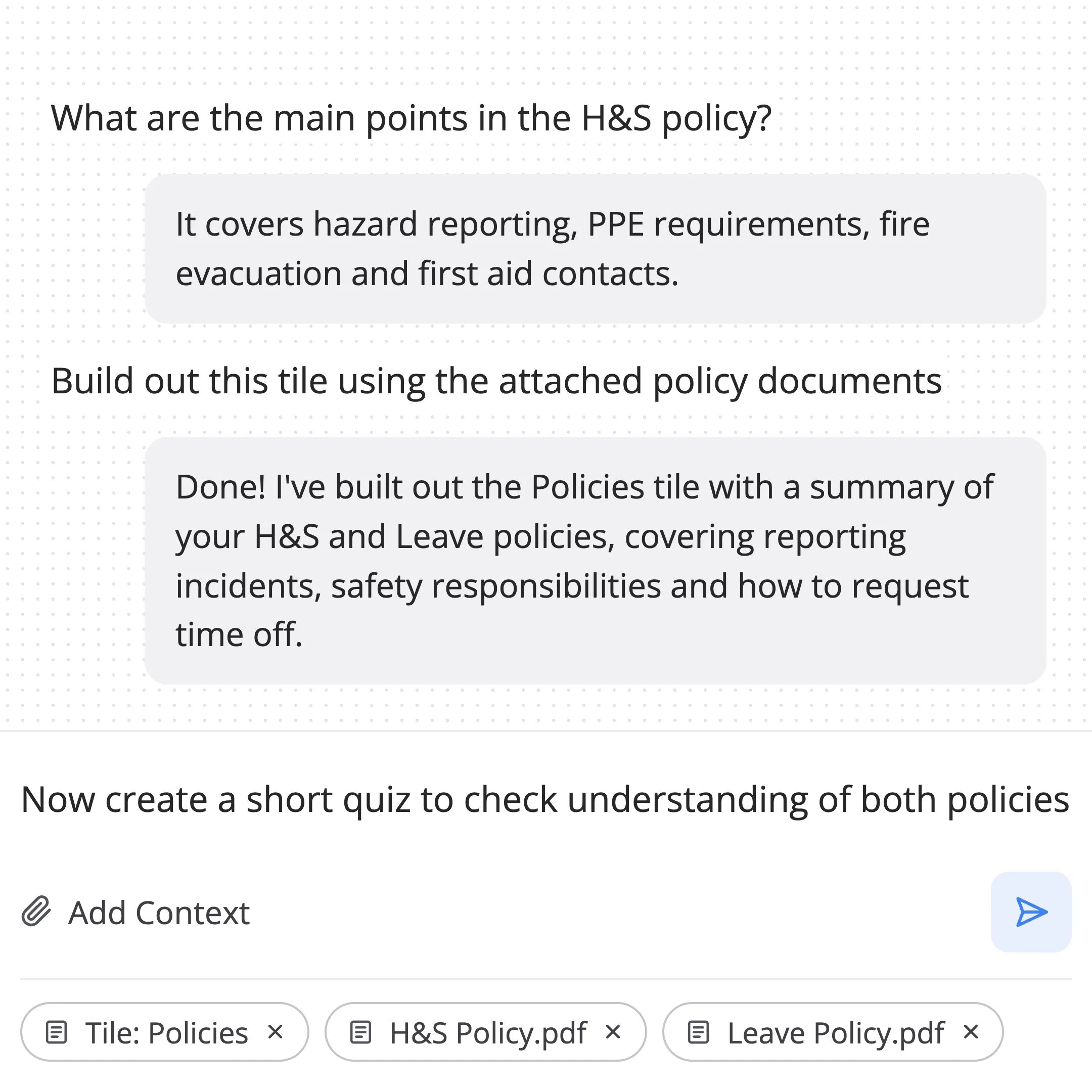
Let your AI Assistant turn boring content into something more engaging and interactive. Give it a chunk of content or a whole document to transform, and see what it will do for you. Or maybe ask it to create a quiz from all the content in a topic. It's doing the hard work for you, but you're still in control.
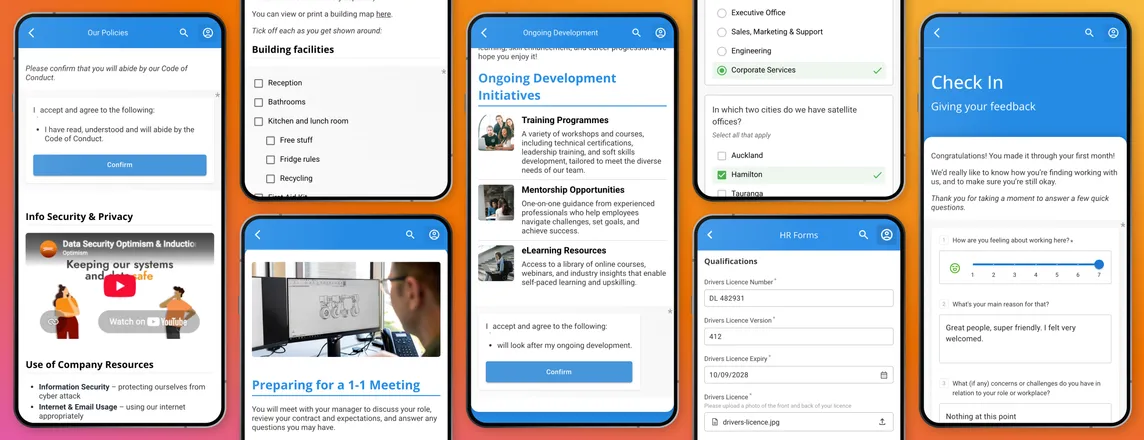
Visually break up content.
Step through ideas one at a time.
Show things visually.
Lay out details clearly.
Make key points stand out.
Bring explanations to life.
For things to get, see or do.
For matching, sorting and ordering, using text or images.
For private notes, questions and reflections, kept to the reader.
With multi-choice or multi-select, to help things stick.
With randomly presented questions from weighted, segmented question pools.
Ask people to retype their name to acknowledge a statement, such as a policy.
Collect sizes, dietary needs and more with 14 field types, from dropdowns to file uploads.
Capture ratings and comments, with 6 field types, feeding your engagement reporting.
Mark any content or activity as mandatory, so a topic can't be completed until it's done. Anything left optional stays optional.
When someone finishes a quiz or signs an attestation, it's recorded against them with a date and time in their audit trail.
You have evidence that the right people completed the right steps.
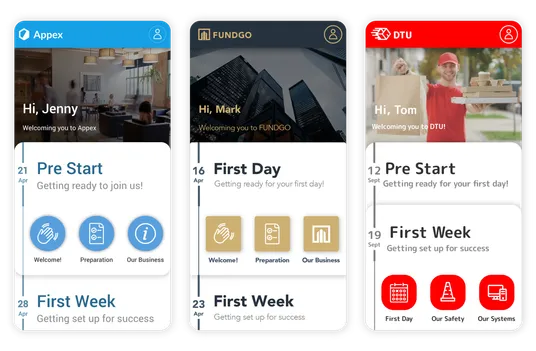
Make the journey look like it belongs to your organisation, not to us. Apply your logo, colours, fonts and images, and set your button shape anywhere from square to fully round.
New starters and franchisees get an experience that feels professional and on-brand from the first screen.
You build content by just typing. Add images, embed PDFs, drop in videos, link out to external resources, and add content and learning interactions as you go.
AI Assist can help you transform your content, and there's no coding or design team needed.
Access support docs from every interaction or the dashboard help icon.
Everything's designed for phone, because that's where most people start their induction, but it stays responsive so it looks right on tablet, laptop and desktop too.
See exactly what people will see before anything goes live. Preview the journey in phone or desktop format, then publish when you're ready.
Managers stop re-delivering the same induction by hand.
Interactive content keeps new starters involved to the end.
Completions and attestations are recorded as you go.
The same journey reaches every site, team or franchisee.
They all love the Induction app which is awesome!. "very informative", "easy to use" "my onboarding thus far has been phenomenal
EA to MD, G.J. Gardner — Manukau Major ProjectsRelated links
Content Manager is one part of The Induction App. It works alongside the rest of the platform to run onboarding from welcome to completion.