
“They have worked closely with us to ensure our onboarding paperwork is thorough, efficient, and customized appropriately for our employees.”
Efinity Mortgage
HR Manager






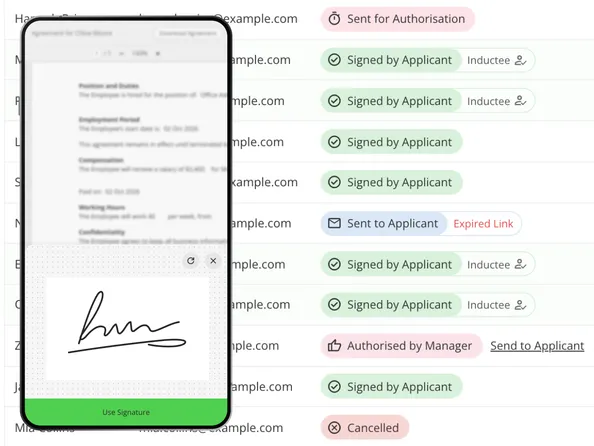
Getting an employment agreement signed no longer means printing it, emailing a PDF, and waiting for them to sign and scan it back.
Alerts and notifications mean everyone knows whether an agreement is waiting, signed, or needs action—no more delays or hunting for status.
Once the employment agreement is signed, an inductee is created automatically, so there's no need to enter their details again.
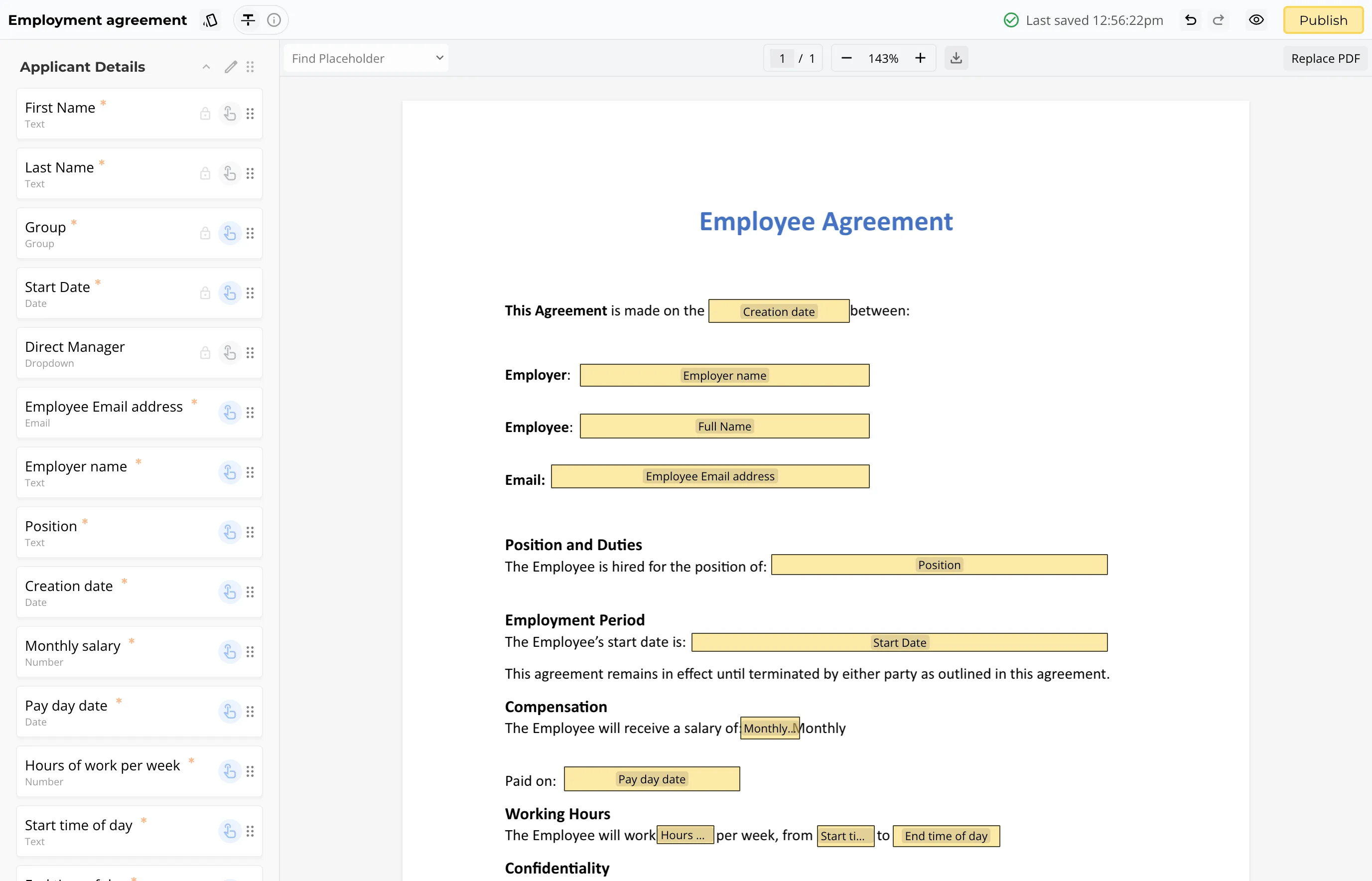
Turn your existing agreements into digital templates you can reuse.
Add the employee's details and send them a secure signing link.
Your new starter signs online, you get notified, and the signed agreement is stored for you.
“They have worked closely with us to ensure our onboarding paperwork is thorough, efficient, and customized appropriately for our employees.”
Efinity Mortgage
HR Manager

“I'm just super impressed by all of this 😊 You guys are amazing!”
Wairarapa Moana
HR Manager
Start from the base agreements you already use. Set each one up once as a digital template, add as many variations as you need, and reuse them every time you hire.
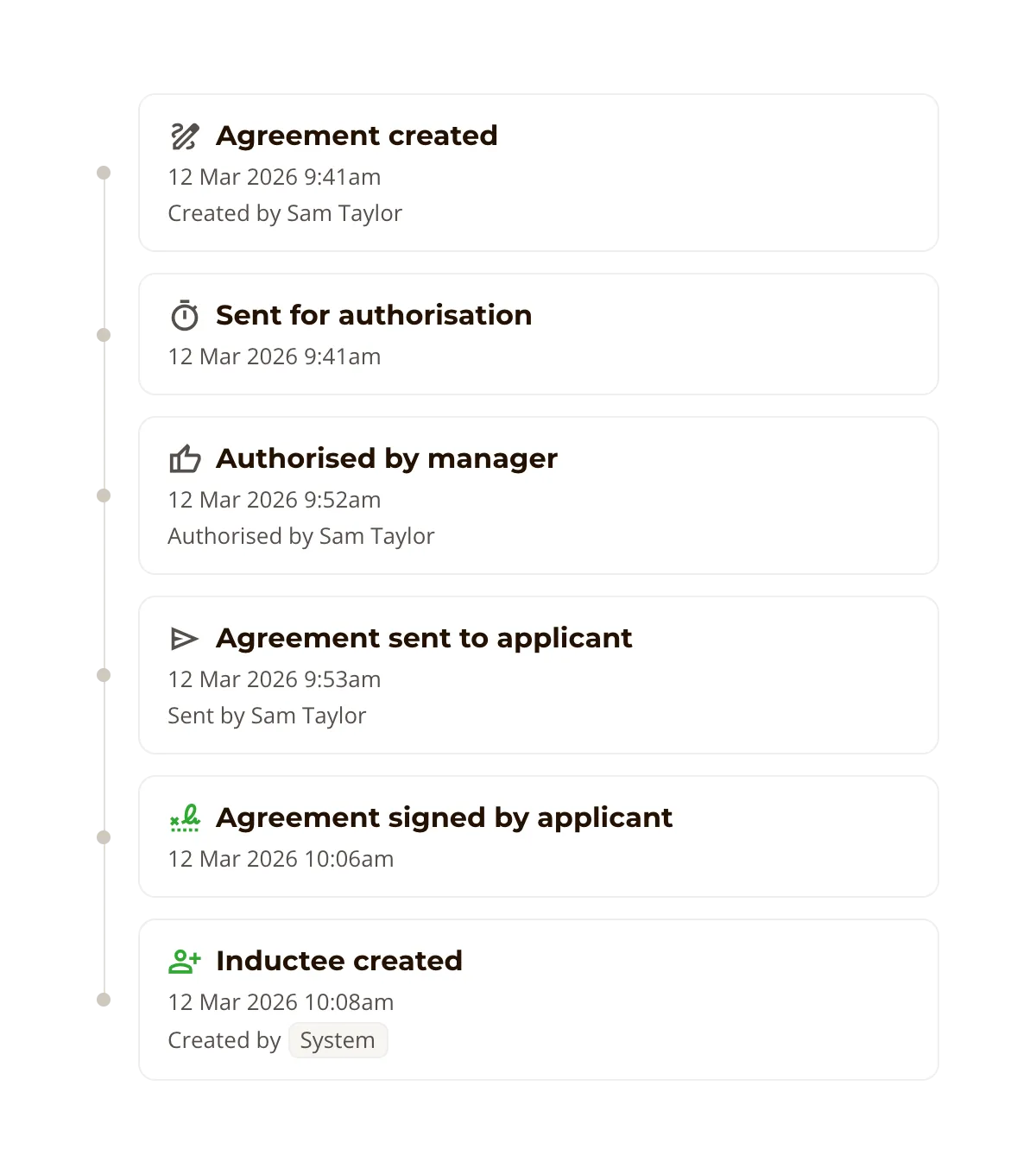
Give agreements a final review before they reach your new starter.
The privileged Agreement Manager role controls who can prepare and manage agreements.
You can also choose to require an Authoriser, which automates the approval workflow.
The Authoriser can sign and send the agreement.
The Authoriser can request changes first, so nothing gets sent to a new starter until it's right.
Alerts and notifications keep the Agreement Manager and Authoriser up to date, so everyone knows whether an agreement is waiting, signed, or needs action. Every agreement keeps a full audit trail of what happened and when, giving you a clear record for each new hire.
Send agreements in a few clicks, and skip the back and forth.
Reusable templates with required fields keep every agreement accurate.
Get agreements signed sooner, so new starters are ready on First Day.
Store every signed agreement with a full audit trail.
“Managers are more engaged now. They know what's required of them and feel part of the process. Not only is it being done better, it's actually being done.” —National Retail Manager

“You need to try it, because it will organise your life and it will impress new hires to the point they want to stay. It’s the face of the company, and makes them feel like we care and have it all together. Getting their feedback along the way is really valuable, it’s just great.” —HR Manager
Agreements and e-signing are one part of The Induction App. Bring them together with the rest of onboarding to give every new starter one clear journey.